Installed. Now pin it to the toolbar
Keep Teleprompter App one click away:
- Click the puzzle-piece icon (Extensions) to the right of the address bar.
- Find Teleprompter App in the list and click the pin next to it.
- Its icon now stays in the toolbar. Click it whenever you need the extension.
 In the Chrome Web Store
Teleprompter App: read your script while you record or present
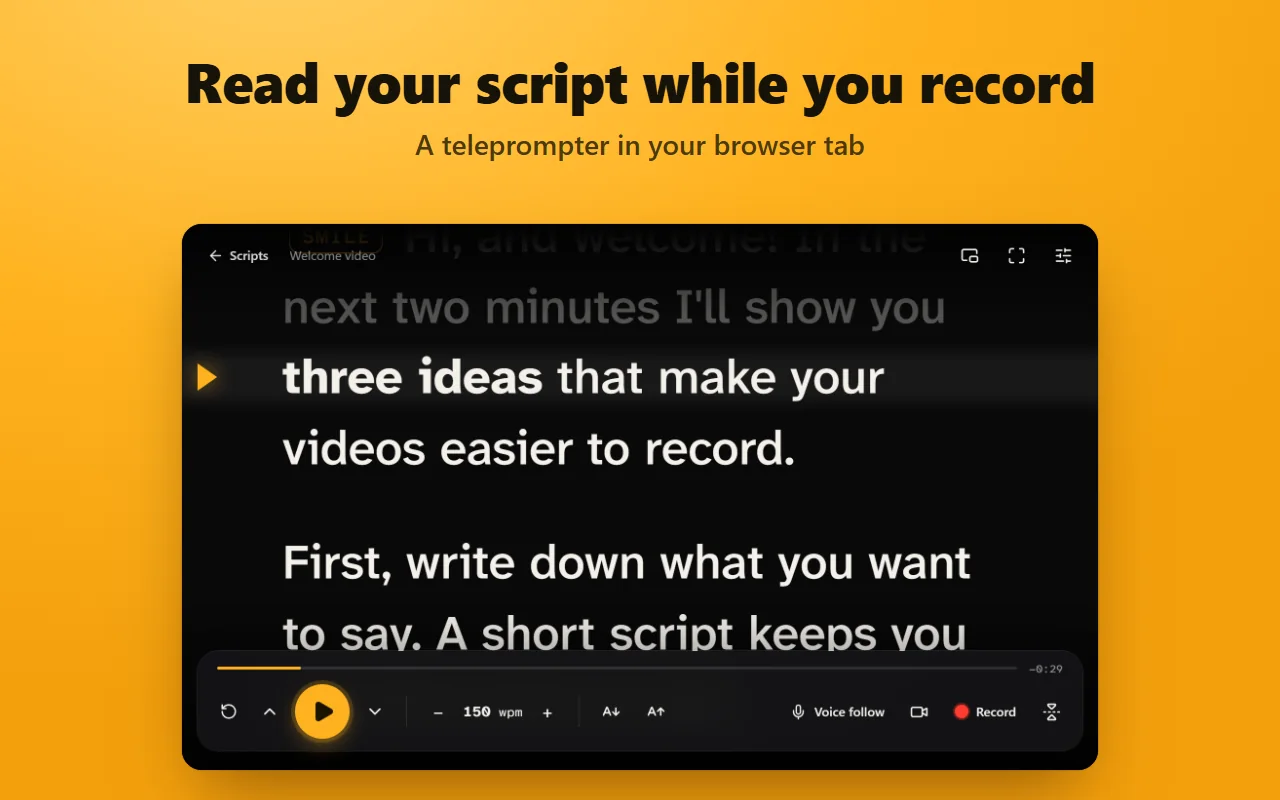
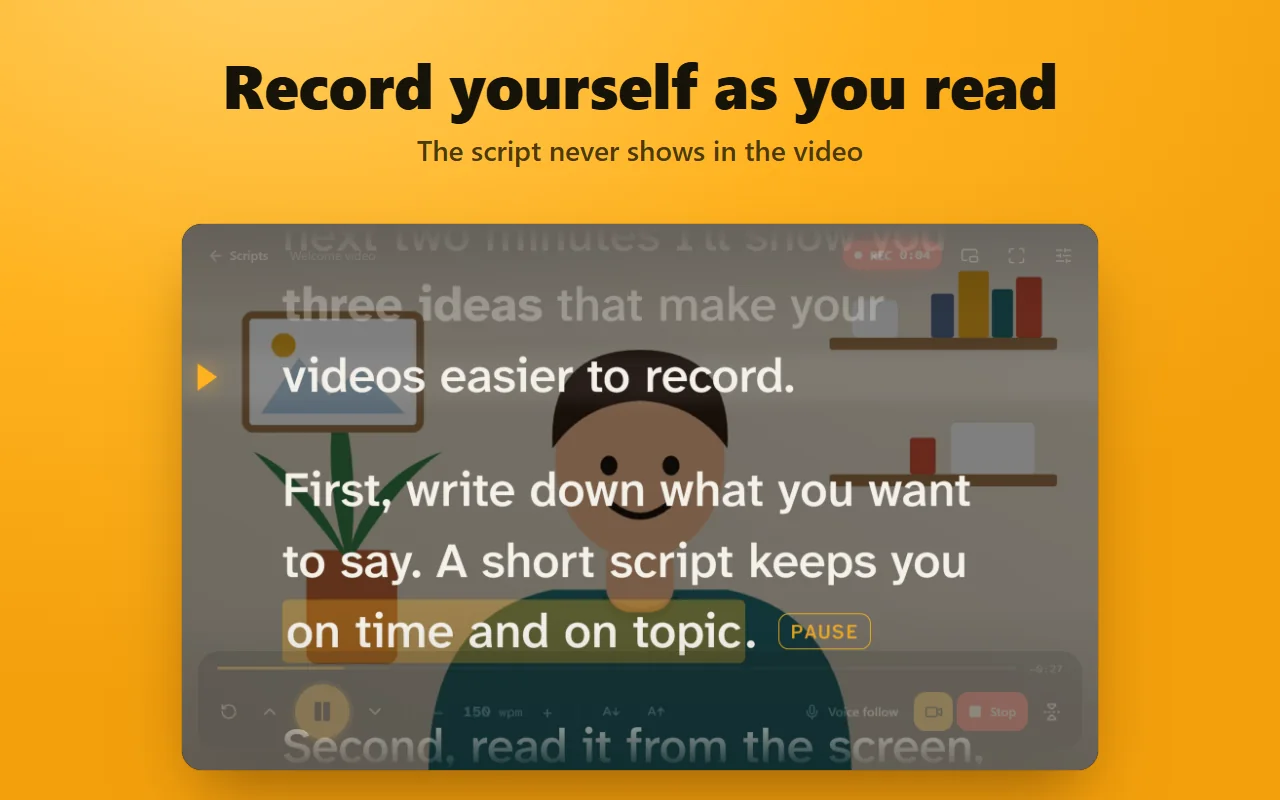
Paste your script, press Play and read from the line next to the amber arrow. The text scrolls at your speed or follows your voice, and it can float in a small window right under your camera during a video call.
A free Chrome extension that turns a browser tab into a teleprompter, with voice follow, a floating window and a webcam recorder.
- 40–400 wpm
- 720p · 1080p
- MP4 · WebM
How to use the teleprompter app
- Add the extension and click its icon in the toolbar. The teleprompter opens in a tab.
- Paste or type your script in the editor. It is saved as you type.
- Press Play to read in the tab, or Pop out for a floating window over other apps.
- Read from the reading line. Press Space to pause and the Up and Down arrows to change the speed.
What you get
Auto scroll you control
Set the speed from 40 to 400 words per minute and change it live with the arrow keys. A countdown, a progress bar and the time left keep you on track.
Voice follow
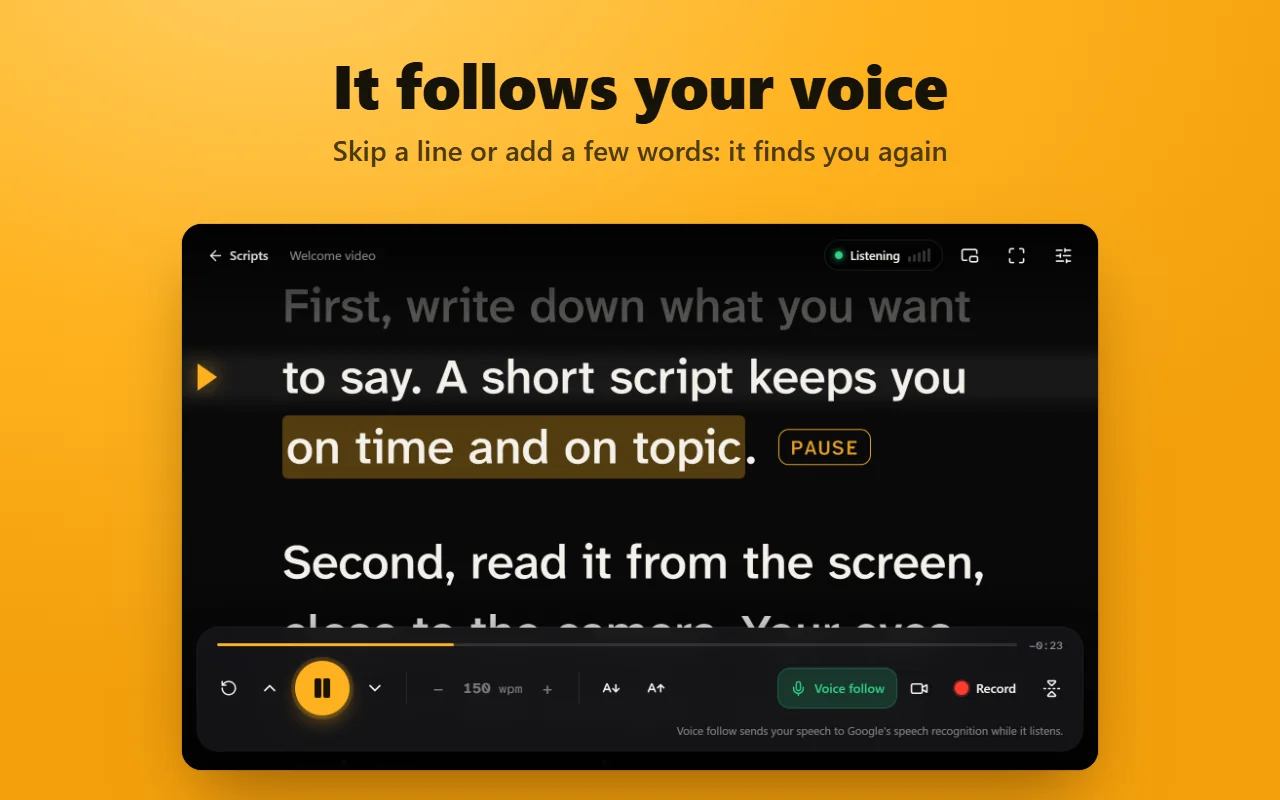
Turn on Voice follow and the text moves as you speak, using Chrome's speech recognition in 69 languages and regions. Skip a sentence or add a few words: it finds your place again.
Floating window over your call
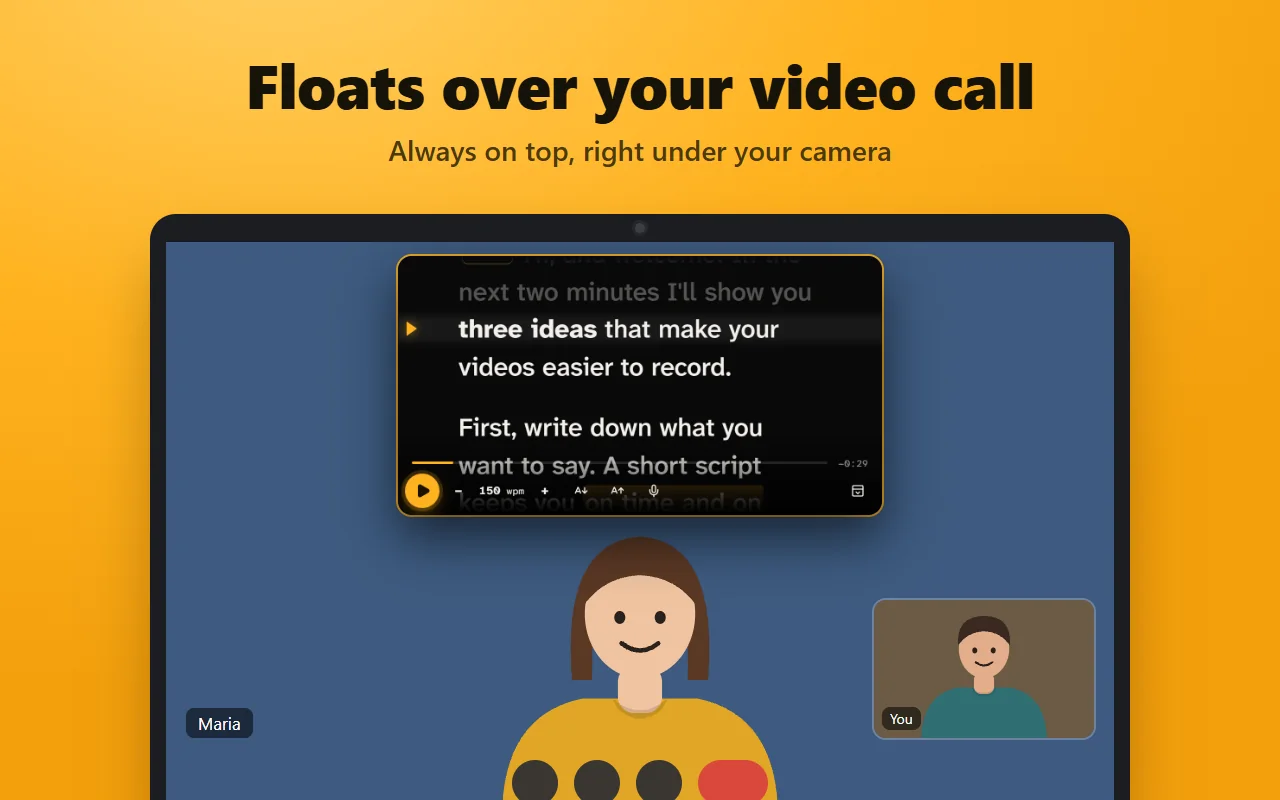
Pop out opens the prompter in a small window that stays on top of other apps, so it sits right under your camera in Zoom, Google Meet or Microsoft Teams. It has its own text size.
Webcam recorder
Show your camera behind the text or in a corner, pick the camera and microphone, and record in 720p or 1080p. The script never appears in the video, and the take is saved as MP4 where Chrome supports it, otherwise WebM.
Mirror mode
Flip the text left to right or upside down for teleprompter glass that reflects a screen lying under the camera.
Easy to read
Pick the text size, column width, line spacing, alignment and colours. Five fonts are included, among them OpenDyslexic for readers with dyslexia.
Scripts and a script timer
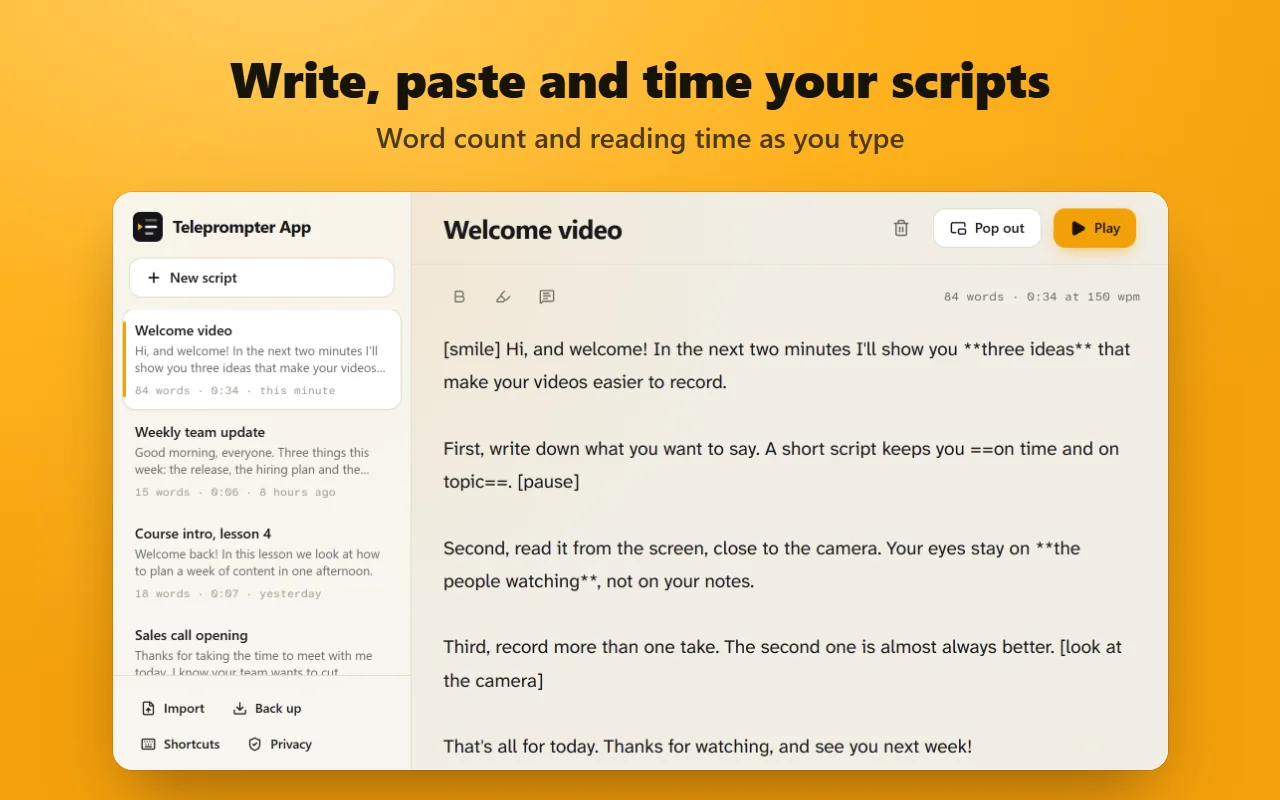
Keep as many scripts as you like, with bold, highlights and notes to yourself that voice follow skips. The editor counts your words and shows how long they take at your speed.
Shortcuts, clickers and pedals
Play, pause and change the speed from any app with global shortcuts. Presentation clickers and page-turner pedals work too.
Screenshots
Your scripts stay on your computer
No account, no ads and no tracking. Scripts and settings are saved in your browser on this device and are never sent to us. Recordings stay on your computer and are saved only when you download them.
While voice follow listens, your speech goes to Google's speech recognition service to be turned into text, as with any website that uses Chrome's speech recognition. Nothing is sent while voice follow is off. The extension asks only for the storage permission; Chrome asks you separately before the camera or microphone is used.
Questions and answers
Is it a free teleprompter app?
Yes. Every feature is included, with no sign-up, no watermark and no limit on scripts.
Can I use it as a teleprompter for Zoom or Google Meet?
Yes. Press Pop out and drag the floating window just below your camera. It stays above the call. Share a window or a tab rather than your entire screen, so nobody sees your script.
Does voice follow work in my language?
It works in the 69 languages and regions that Chrome's speech recognition supports. It needs Google Chrome and an internet connection; some other Chromium-based browsers turn the service off.
Does the script show up in my recording?
No. The recorder captures only your camera and microphone. You can review the take, download it or discard it.
Can I import scripts from Google Docs or Word?
Paste the text into a script, and bold and highlights come along. You can also import text files or a backup file with Import.
Does it work on Windows, Mac and Chromebook?
Yes. It runs in Chrome on any desktop computer, with nothing else to install.
Help and support
Teleprompter App
A free Chrome extension that turns a browser tab into a teleprompter, with voice follow, a floating window and a webcam recorder.
Zoom, Google Meet and Microsoft Teams are trademarks of their owners. Teleprompter App is not affiliated with them.