Installed. Now pin it to the toolbar
Keep Recipe Converter one click away:
- Click the puzzle-piece icon (Extensions) to the right of the address bar.
- Find Recipe Converter in the list and click the pin next to it.
- Its icon now stays in the toolbar. Click it whenever you need the extension.
 Coming soon
Recipe converter for cups, grams and servings on the page you have open
Found a recipe in cups and ounces, or in grams you can't measure? Click the toolbar button and a recipe card shows the whole dish in US or metric units, scaled to the number of servings you need.
A free Chrome extension that converts the measurements of a recipe between US units and metric units, weighs cups by ingredient and scales the servings, on the recipe page itself. The extension is on its way to the Chrome Web Store. The install button appears here as soon as it is published.
- 50 ingredients
- US ⇄ Metric · °F ⇄ °C
- QR · Print
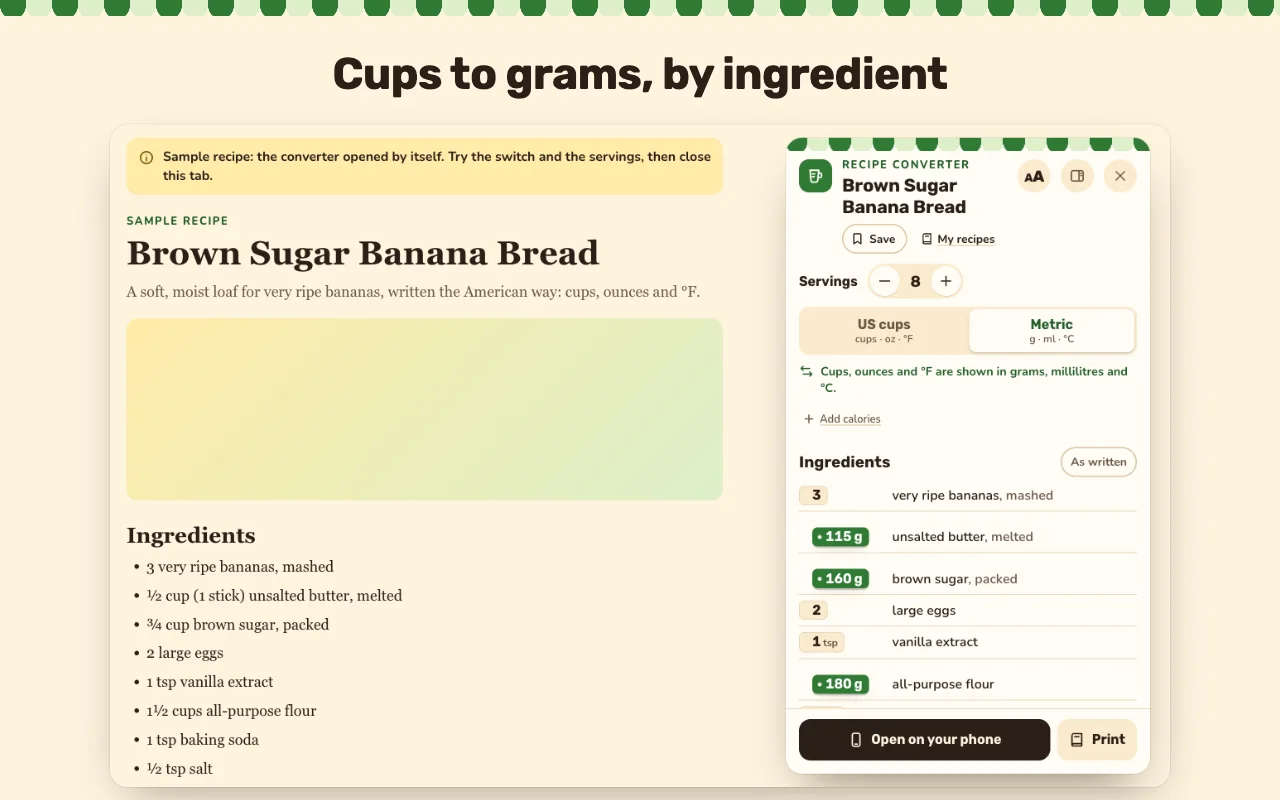
How to convert a recipe from cups to grams
- Open a recipe page and click the extension's toolbar button, or press Alt+Shift+K.
- Flip the US / Metric switch: every ingredient, temperature and pan size follows.
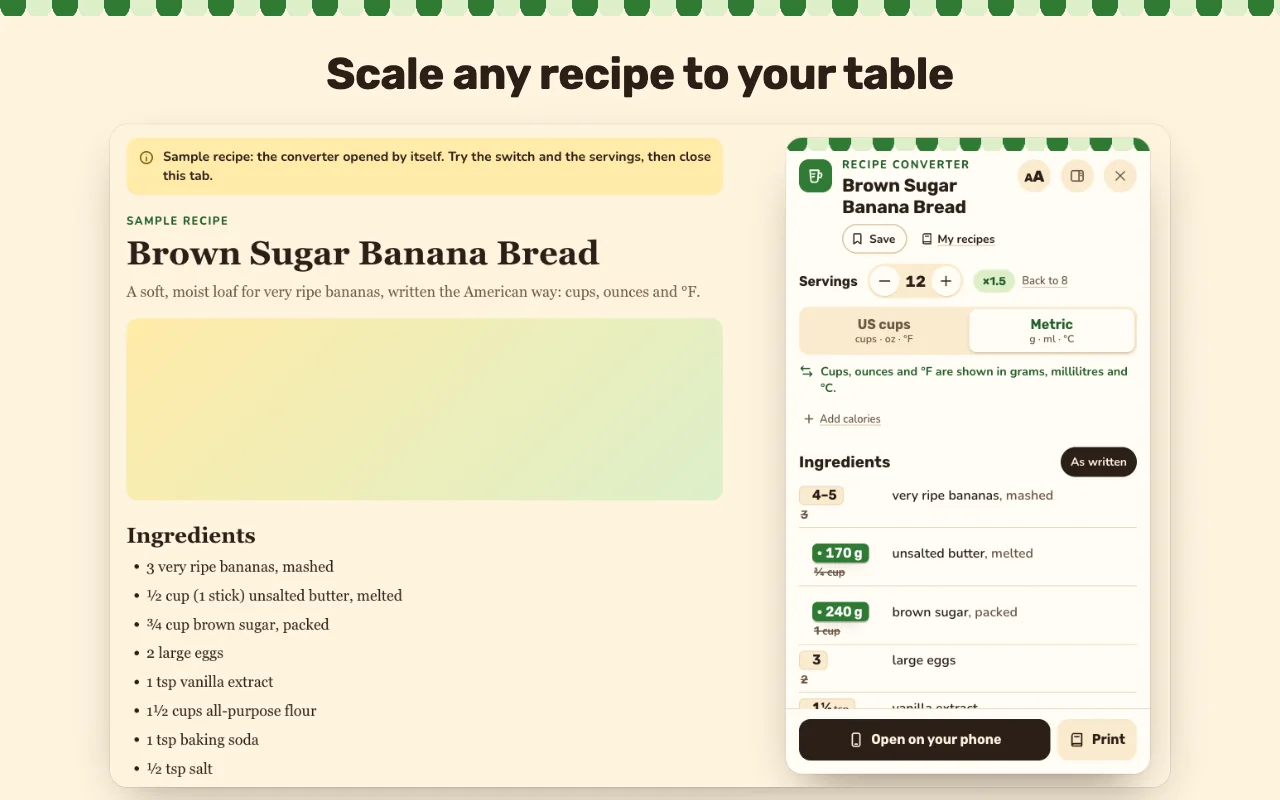
- Set the servings, for example from 4 to 6. Fractions stay readable as ½, ⅓ and ¾.
- Cook from the card, print it, save it or open it on your phone.
What you get
A cup is not one number
Flour, sugar and butter weigh very different amounts per cup. The card weighs 50 common ingredients one by one, with weights from USDA FoodData Central: 1 cup of flour is 120 g, sugar 200 g, butter 227 g.
Never a guessed weight
Liquids go to millilitres, spoons to ml or grams, ounces and pounds to grams and kilograms. An ingredient without a known weight converts by volume instead of a guess.
The steps too
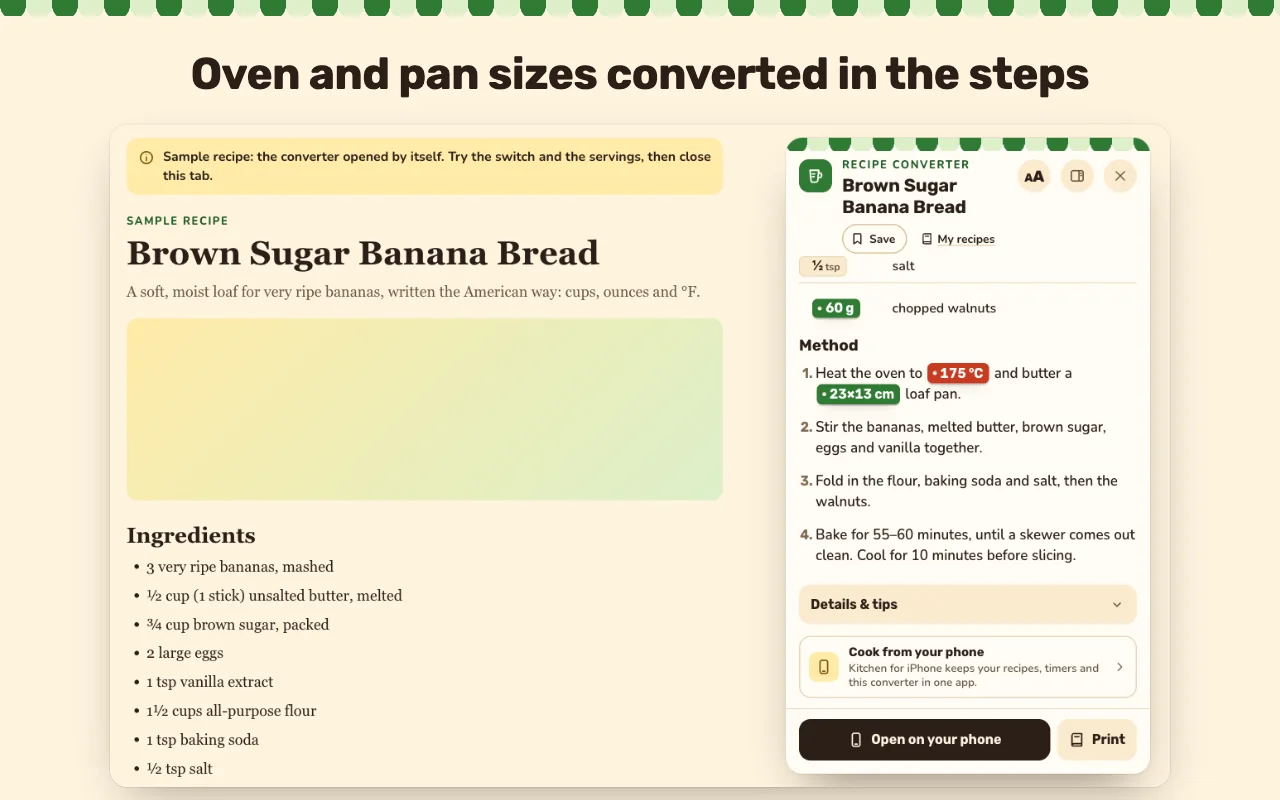
Oven temperatures from °F to °C and pan sizes such as a 9×13-inch pan are converted inside the steps. "As written" shows the author's original amounts next to the converted ones.
Scale it to your table
Change the servings and every amount follows, in both directions. Calories per serving come from the site, or you type your own.
A quick converter in the popup
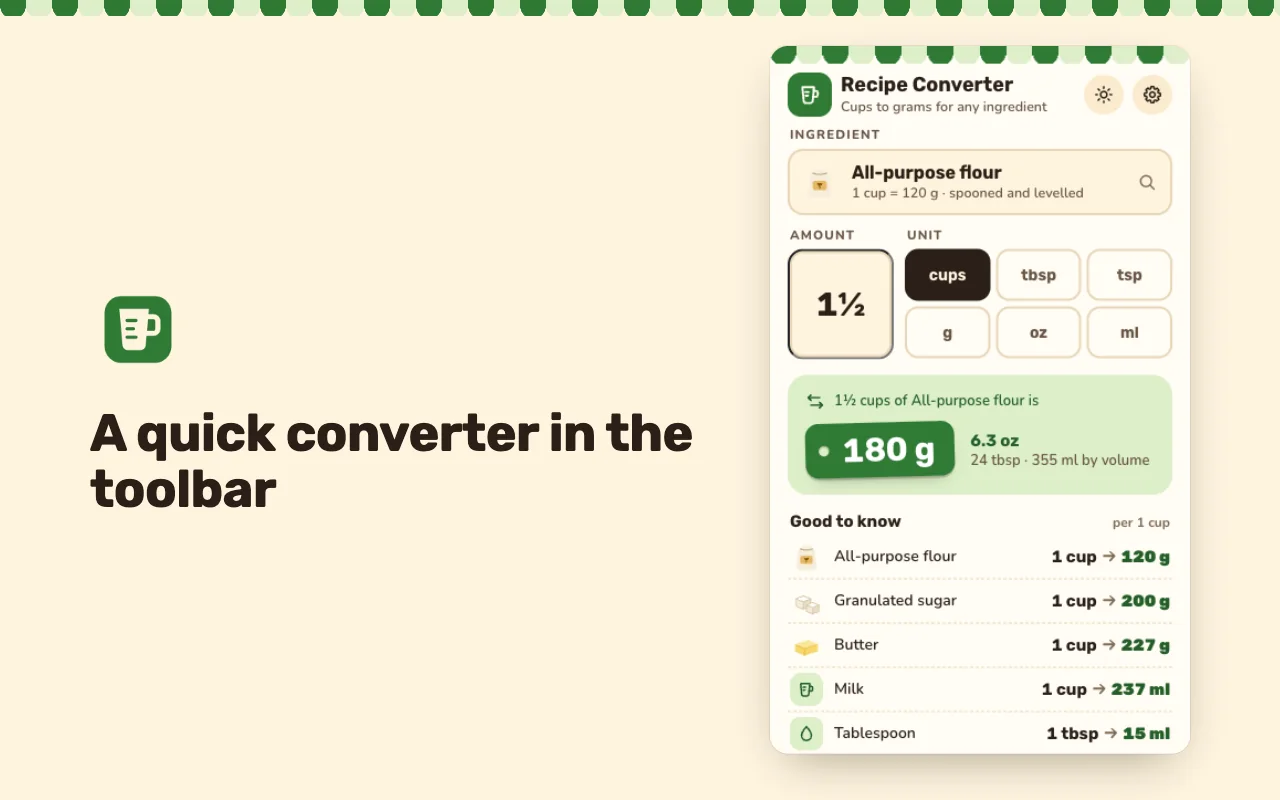
For a recipe from a book or a page without recipe data: pick an ingredient, type the amount and get grams, ounces, tablespoons and millilitres at once, plus a small chart of everyday conversions.
Save, print, take it along
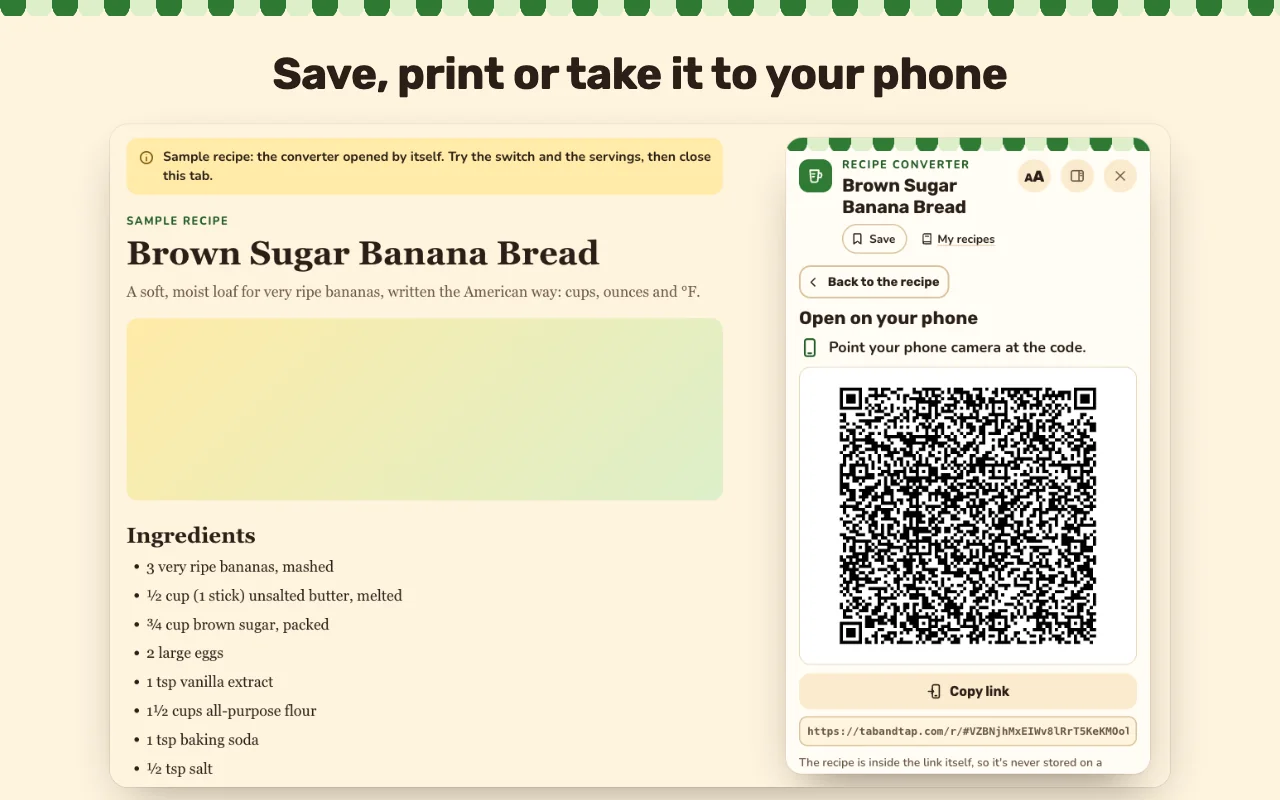
My recipes keeps converted dishes in your browser with export and import. Print a clean copy, keep the card in the side panel, or scan a QR code to open the recipe on your phone.
Screenshots
Your recipes stay in your browser
The extension reads the recipe only on the tab where you click its button, or on recipe pages if you turn on the automatic button. It converts it on your device and sends nothing to us: no account, no analytics, no ads.
Open on your phone puts the recipe inside the link itself, after the # sign, which browsers never send to a server.
Questions and answers
How many grams are in a cup of flour?
About 120 g when the flour is spooned in and levelled. A cup of sugar is about 200 g and a cup of butter 227 g, so the card uses the weight that fits each line.
Which recipe pages work?
Pages that publish structured recipe data (schema.org), as most large cooking and baking sites do. On other pages, use the quick converter in the popup.
What if an ingredient is not in the table?
It converts by volume, for example cups to millilitres, and never guesses a weight.
Does it convert metric recipes to US cups?
Yes. The switch works both ways: grams to cups for every ingredient with a known weight, and millilitres to spoons and US measures.
Which languages does it speak?
The interface is in 15 languages, including English, German, French, Spanish, Japanese and Korean.
Is it free?
Yes. Every feature is free and works without an account.
Help and support
Recipe Converter
A free Chrome extension that converts the measurements of a recipe between US units and metric units, weighs cups by ingredient and scales the servings, on the recipe page itself.
Weights are a kitchen guide, rounded to what a scale or measuring jug shows. Ingredient weights come from USDA FoodData Central; the extension is not affiliated with the USDA or with any recipe website.